Orbiwatch help: films, embeds and screens.
Search the answers or browse the topics below. Can’t find it? Write to me and I’ll reply within two business days.
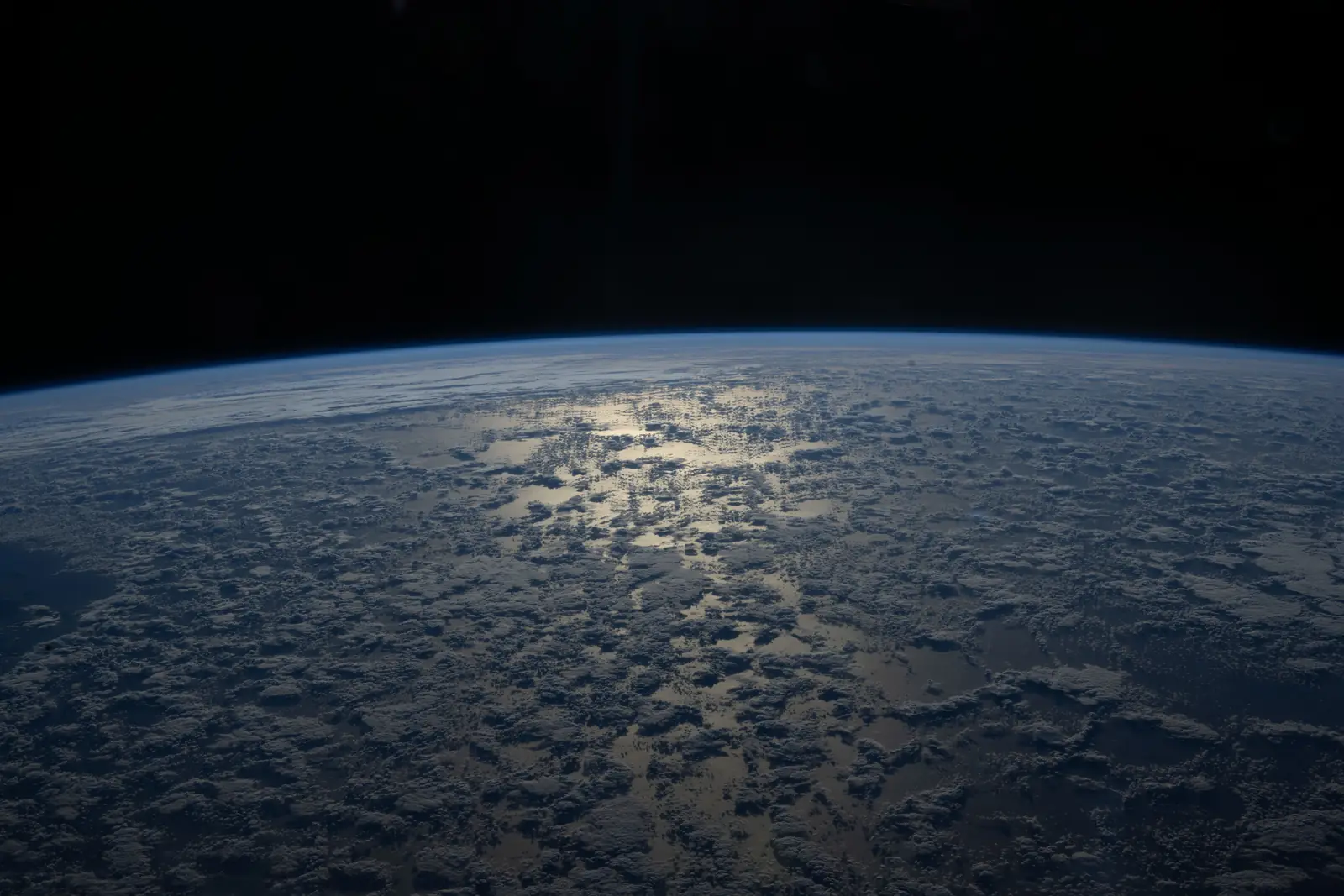
Sun glint over the Indian Ocean, from the ISS. Photo: NASA (opens in a new tab), public domain
Getting started
Live films of real satellites over real places. Each film works the orbit out from the newest public data every time it plays, so the satellite on screen is where it is today. Put one on your website, run it on a screen, or export it as an MP4.
Yes. Create an account and open the studio: build a film, preview it and present it full screen. Previews and presentations run for 15 minutes at a time and carry the Orbiwatch mark. A plan removes both.
Yes, for the studio. Sign in with your email, add your name and organisation, and turn on two-factor sign-in. It takes about two minutes.
Living Film for your website or for MP4 files. Display for a lobby TV, kiosk or event screen, and for re-entry films. A Mission Film commission for a custom launch film made with you. See pricing.
You come back to Orbiwatch with your order, and a confirmation email links to its page. For a Living Film you create your embed code there. For a Display plan you create your screen link there. For a commission I get in touch to book a first call.
The studio
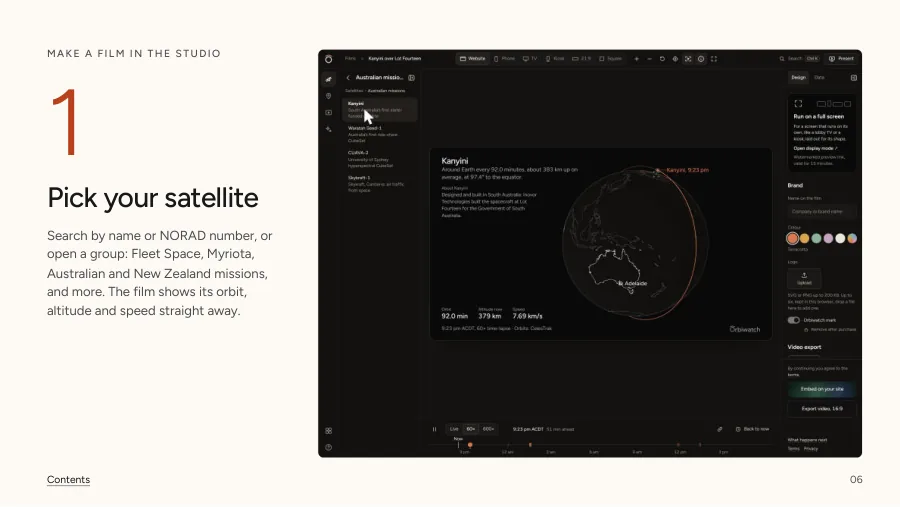
Any satellite with public orbital data. Pick from the lists in the studio, or search by name or NORAD catalogue number. If a satellite has re-entered, the studio says so.
Yes. Click the globe to drop a place anywhere, or enter a name with its latitude and longitude. Passes and times are worked out for that spot.
Six ways to show the same satellite: The orbit, Tonight overhead (a sky chart of the next passes), Ground track, A day of coverage, Constellation and Sky view (the real sky from your place). Start from a preset, like Website hero or Lobby kiosk, and the studio sets the shape, view mode and speed for you.
Yes, on the orbit and constellation views. Open View mode or Design and turn on any of five, under On the globe:
Real Earth (also on the toolbar above the film, or press E) shows land and sea from NASA’s imagery, city lights on the night side, every coastline and border, and the air’s thin blue glow. Borders brighten when you zoom in. The film credits NASA while it’s on. Sunlight and shadow quiets the part of the orbit inside Earth’s shadow and marks when the satellite goes in and comes out. It uses the same shadow as the pass times. Coverage cone draws the ground that sees the satellite at least 10° above the horizon; in the constellation view every satellite in the group gets one. Orbit geometry shows the orbit’s plane, its tilt to the equator, where it crosses the equator heading north, and its highest and lowest points. Height to scale draws the edge of space (the Kármán line, 100 km), the ISS’s height and geostationary orbit as rings at the globe’s own scale, with a line from the satellite down to the ground and its height.
Overflight is its own switch, on the toolbar (or O) and in full screen: it lights and names the country or sea beneath the satellite, and the launch sites, ground stations and space agencies it passes near.
They stay with the film when you save it, share it, embed it or export it. They need a graphics processor: a device without one draws a simpler globe without them, and the studio says so.
Yes, on the orbit and constellation views. Press Fly through on the stage (or T): about half a minute that shows the whole orbit face-on, rides along just behind the satellite with the horizon ahead, comes down over your place and returns to where it started. Touch or drag the view to stop it. In presenter mode the next click after the orbit plays it. With reduced motion on, the view stays still.
In Design, add the name to show on the film (up to 40 characters), choose a colour or your own accent, and upload a logo. Logos stay in your browser until you order with one. After you order, open the film from your order email or order page to change any of it, then save it to your order. Your embed, screen and exports use the new version.
It needs to be SVG or PNG and under 200 KB, and the studio keeps six. Remove one before you add a seventh.
Yes, once you’ve bought a plan. Open the film from your order email or order page, switch it off in Design under Brand, then save it to your order.
Yes, as you go. Signed in, they follow you to any device. Under Films you can open, rename, duplicate or delete them. Deleting a film doesn’t touch its exports or screens.
Sky view and re-entries
The sky from your place at the film’s moment, as you’d see it standing there: about 9,000 stars, the Sun, the Moon in its real phase, all seven planets from Mercury to Neptune and the Milky Way, with your satellite crossing them. By day the stars fade, as they do outside.
Yes, all 88. Move the pointer over the sky and the constellation under it lights up with its name and the names of its stars. The brightest stars are always named. Names follow the International Astronomical Union’s list, one name for each star.
The figures are the IAU’s own, as Sky & Telescope drew them for the IAU’s charts.
Figures: Stellarium’s modern IAU sky culture (CC BY-SA 4.0). Star places: the Yale Bright Star Catalogue and Hipparcos, through d3-celestial by Olaf Frohn (BSD 3-Clause). Star names: IAU Working Group on Star Names.
The stars, the Sun, the Moon and the planets sit within a hundredth of a degree of where NASA JPL’s Horizons system and an independent astronomy library put them. That’s about a fiftieth of the Moon’s width. The satellite is as accurate as its orbital elements: see How accurate is the position?
The horizon’s shape is: it comes from elevation data for your spot, so hills and mountains stand where they are. Where a place has no picture of its own, the ground is an illustrative landscape, and the film says so. You can turn the scenery off in Design.
Press the Moon button above the film, or M. In Sky view the view turns to the Moon and stays with it as time runs. If it’s below the horizon, the film moves to when it’s next 10° up; Back to now returns. On the globe, the camera swings out beyond Earth with the Moon at the far side and the distance between them. Drag the view or press the button again to let go. On a phone, it’s in the More menu. The Moon is drawn at its true size, about half a degree across from Earth, so it’s small.
Data lists the next passes over your place. A pass you can see, with the satellite in sunlight while your sky is dark, shows how bright it is at its highest, in magnitudes (lower is brighter), and what that looks like: brighter than any star, like a bright star, or too faint to see by eye. It comes from the satellite’s published brightness where there is one, like the ISS’s; for the others it’s an estimate from their size, and the list says about.
Open Saw a fireball? in the studio. Find the object that came down, set where you stood and when, and Sky view rebuilds that sky with the object’s last pass. Watching is free. The re-entry time is CelesTrak’s estimate, and the fireball is illustrative.
Yes, with Display. Its embed and MP4 exports come with the plan, like a screen.
Embeds
Buy the Living Film, then on your order page enter your website’s domain and press Create embed code. Paste the code into your page. It’s a plain iframe, so it works in any site builder that accepts HTML.
The domain you enter and its subdomains. A code for example.com also runs on www.example.com and staging.example.com, and nowhere else.
Yes. Open your order page and create a new code with the new domain. The confirmation email links to the order page.
Yes. It works the orbit out again every time it loads, and a page left open refreshes its data by itself.
The iframe loads lazily: the browser fetches it only as it comes near the screen.
The plan behind it has ended or a payment is overdue. A payment that isn’t fixed within 14 days pauses embeds and screens. Write to me and I’ll sort it out.
Display screens
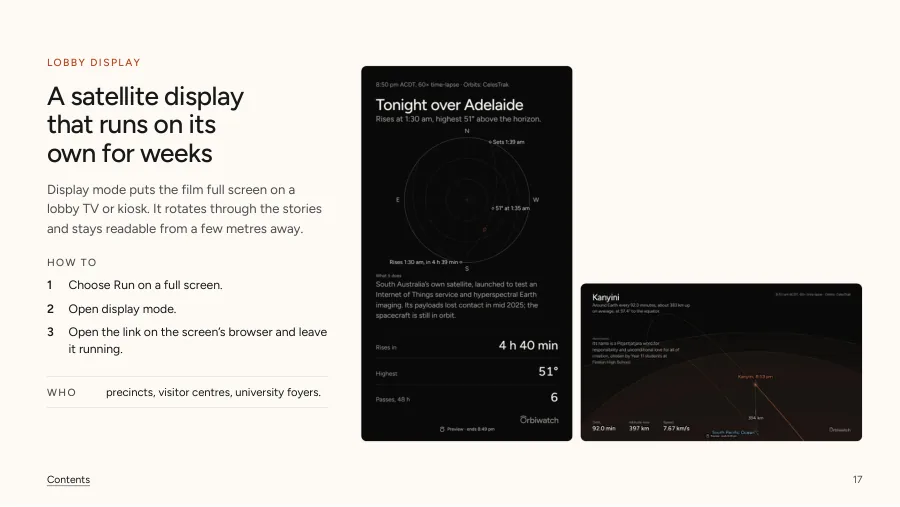
A full-screen film for a lobby TV, kiosk or event screen. It moves through every story for up to 12 satellites over your site, and runs on its own for weeks. Re-entry films come with it, on screen, on your site and as MP4s.
Buy the Display plan, then create the screen link on your order page. Open it in the screen’s browser and make it full screen. The link binds to the first screen that opens it, and the order page shows when it was last seen.
Yes. It hides the cursor, keeps the screen awake, refreshes its data and reloads once a day at 4 am Adelaide time. If the connection drops it says so and tries again every minute. A touch pauses it for a minute.
Portrait, 16:9, 21:9, 4:3 and square. The film picks its layout from the shape of the screen.
Yes. Presenter mode steps through each story with the arrow keys, space or a clicker. The keys 1 to 9 jump to a story, F goes full screen and R resets the view.
A link runs on one screen. To move it, choose Replace link on your order page and open the new link on the other screen; the old one goes dark at its next check. Switch off does the same for a lost screen.
Yes. In the studio, Run on a full screen opens display mode for 15 minutes, with the Orbiwatch mark.
Exports
A 4K, 30 fps MP4 of 5 seconds to 2 minutes, in 16:9, 9:16, 4:5 or 1:1 (a film over a minute is 1080p), worked out from the orbital data of the day it renders. When you press Export you set the stretch of time it shows on the timeline. It starts on the next pass, a re-entry’s flight or one orbit.
Your browser renders it from the studio or your order page: about a minute for 20 seconds of video, about 7 minutes for 2 minutes. Keep the tab open until it’s done; then it’s saved under Films and we email you the link.
Four of the six: The orbit, Tonight overhead, Ground track and Sky view. A day of coverage and Constellation play live, on your site or your screen.
Yes, for the same purposes: promoting your own organisation in decks, on social media and at events.
Plans and billing
Living Film is US$200 a month per film and Display is US$410 a month per screen. A Mission Film commission starts at US$4,800 and a 25% deposit books it. Prices are also set in Australian dollars, euros, yen and yuan: see pricing.
Australian dollar prices exclude GST. Prices in the other currencies include any tax, and checkout charges the price shown.
Living Film and Display are monthly subscriptions through Stripe. They renew each month in the currency you chose until you cancel. Your card details go to Stripe and never reach Orbiwatch.
Choose Manage billing on your order page, or under Films in the studio. Your plan runs to the end of the month you’ve paid for, then stops. You can change your card and download invoices there too.
There’s no refund for a change of mind or part of a month. Your rights under Australian Consumer Law still apply. A commission deposit is refunded if you cancel before the work starts. The terms have the detail.
Stripe checkout has a field for it. An education order already has 60% off and can’t take a promo code as well.
Open the link it came with. Pricing and the studio show the code, and checkout takes off the first month. You can also type it into the promo code field at checkout. It works once, on Living Film or Display, and not with the education price.
Education price
Schools, universities and the people who teach in them get 60% off Living Film and Display. It doesn’t apply to a Mission Film commission.
Sign in, then on the education page enter your work email and your school or organisation. Type in the 6-digit code we email you, and the discount is on every checkout from your account.
An address on a recognised education domain, like .edu, ac.uk or edu.au, keeps 60% for as long as the plan runs. Any other work address gets 60% off the first month, then the full price. If your school’s domain should be on the list, tell me.
No. Personal and temporary addresses can’t be used. Use the address your school, university or workplace gave you. It can be different from the one you sign in with.
A code lasts 15 minutes and allows 5 tries. After that, ask for a new one. If it doesn’t arrive, check your spam folder.
Accounts and sign-in
Enter your email and we send you a sign-in link. It works once, for 15 minutes. A new address creates an account.
Check your spam folder. The link lasts 15 minutes, so ask for a new one if it’s late. If nothing comes, try another address.
Every account turns it on at setup. Scan the QR code with an authenticator app, such as Google Authenticator, Microsoft Authenticator or 1Password, and enter its 6-digit code. You also get 10 recovery codes: keep them somewhere safe.
Sign in with one of your recovery codes. Each works once, and we email you when one is used. If you’ve lost those too, write to me.
Five wrong codes in a row lock code entry for 15 minutes. Wait, then try again with a fresh code from your app.
30 days. Signing out ends your session on every device.
Write to me and I’ll answer within 30 days. Paid orders are kept for five years as tax records.
Data and accuracy
CelesTrak, maintained by Dr T.S. Kelso, from U.S. Space Force data published on Space-Track.org. If CelesTrak can’t answer, Orbiwatch uses Space-Track’s elements through SatNOGS.
Orbiwatch checks for new elements every two hours. Operators usually publish once or twice a day, so a film is never more than a few hours behind the newest public data.
Close to the time the elements were published, a position is usually within a few kilometres and a pass time within a few seconds. The error grows by a few kilometres a day as the elements age, faster for low satellites or after a manoeuvre.
No. Orbiwatch is for presentation, education and communication. Don’t use it for navigation, safety, collision avoidance or operations.
The newest public elements are more than three days old, or a refresh failed. The film keeps running from the last elements and says so until fresh ones arrive.
Search for its NORAD catalogue number. Any number with public elements works.
Privacy
Your account details, your orders and your saved films. The privacy policy lists every item and how long it’s kept.
No. There’s no advertising and no data sale.
One when you sign in, for 30 days, and one when you open the guide on this page, for 30 days. Neither tracks you.
Write to me. I answer within 30 days.
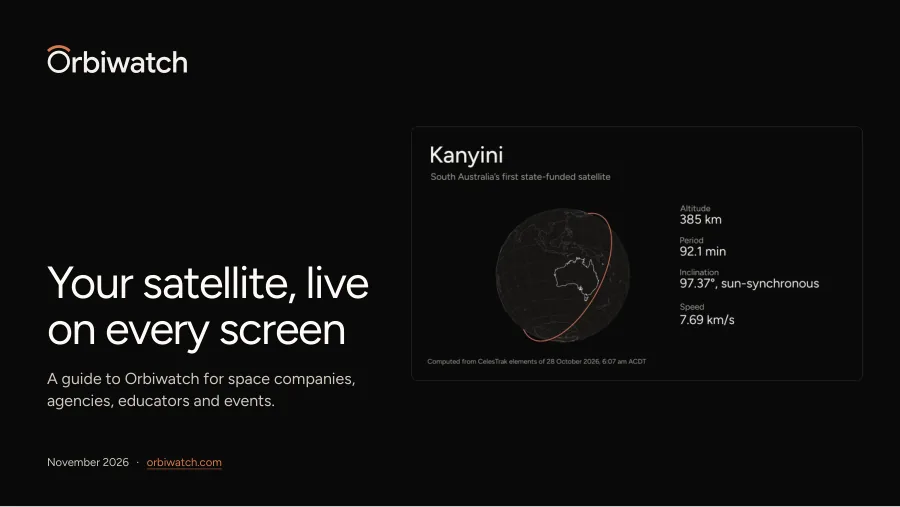
The Orbiwatch guide.
25 pages on making a film in the studio, where it plays and how the numbers are worked out. It’s free for organisations: confirm your work email and it opens here, with the PDF.
Check your inbox.
A 6-digit code is on its way to . It works for 15 minutes.